Your Password Wasn't Hacked Everywhere — It Was Reused
Most account takeovers are not elite zero-days. They are credential stuffing — one leak, one reused password, many hijacked services. Here is why unique passwords matter, and how REHNOVA Passfill keeps generation and storage local on your machine.
The story we tell ourselves is wrong
When a bank account, email, or social profile gets hijacked, the first reaction is usually:
"They hacked the company."
Sometimes that is true. Often it is not.
A large share of real-world account takeovers do not start with an attacker breaking into every platform you use. They start with one compromised site — a forum you forgot about, a shopping cart from years ago, a free tool that stored passwords poorly — and a password you still use on everything that matters.
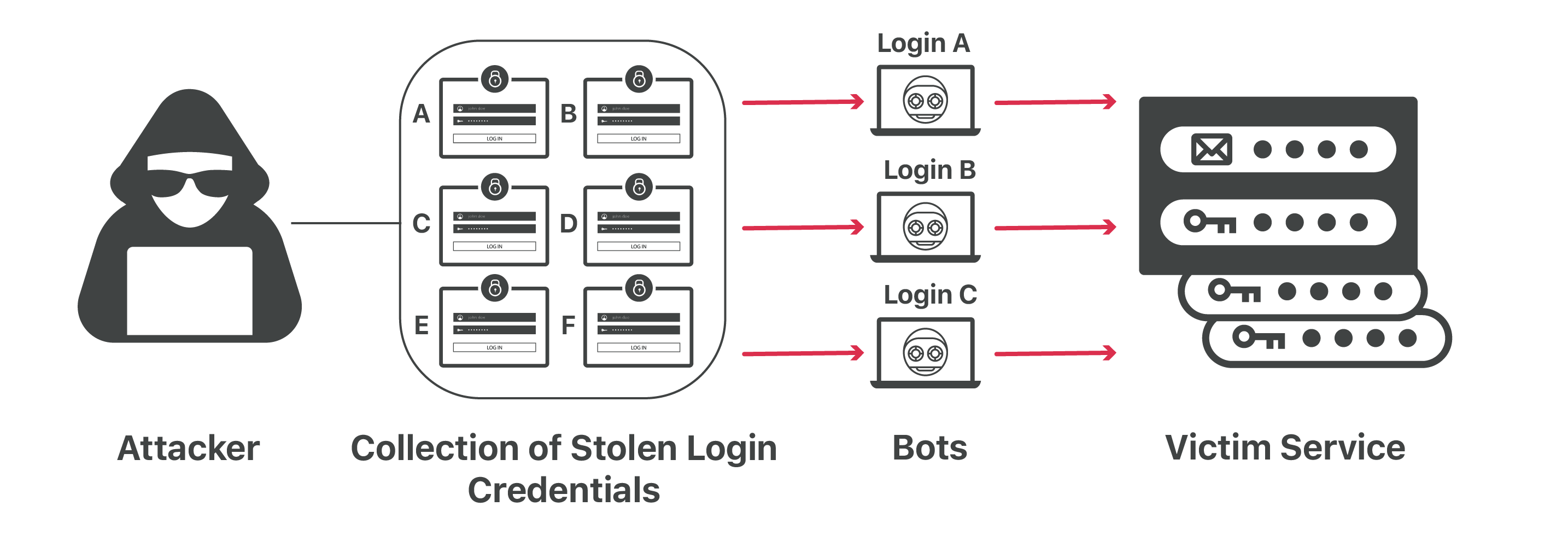
That pattern has a name: credential stuffing.
One breach. Many doors.
Security teams and public reports have repeated the same lesson for years:
- Verizon's Data Breach Investigations Report consistently shows that stolen credentials and password-related abuse remain among the most common paths into accounts — not only exotic remote code execution.
- OWASP defines credential stuffing as automated login attempts using username/password pairs stolen from other breaches.
- Public leak indexes such as Have I Been Pwned exist because billions of addresses and passwords have already been dumped, sold, or traded. The inventory attackers test against is enormous.
You do not need every service to be "hacked." You need one bad day for a site you used, plus the habit of reusing the same secret.
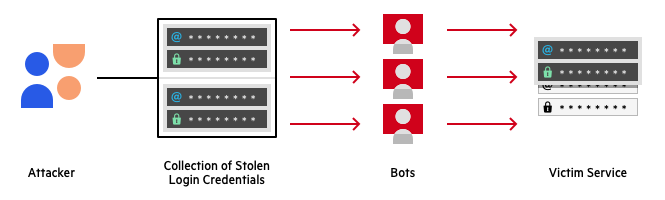
The problem is documented in plain language across industry reports: credentials leak, then travel.
How the attack actually works
Attackers do not "guess your personality." They run pipelines:
1. Buy / scrape a dump from Site A  (email + password)
2. Normalize pairs  (user@mail.com : Summer2020!)
3. Fire those pairs at Site B, C, D…  (bank, mail, cloud, work SSO)
4. Keep whatever logs in
That is not magical cryptography. It is scale and reuse.
If Summer2020! worked on the dump from Site A, bots will try it on:
| Target | Why it hurts |
|---|---|
| Password resets for everything else | |
| Banking / fintech | Direct money movement |
| Cloud / Git / hosting | Code, keys, customer data |
| Social | Impersonation, 2FA phishing follow-ups |
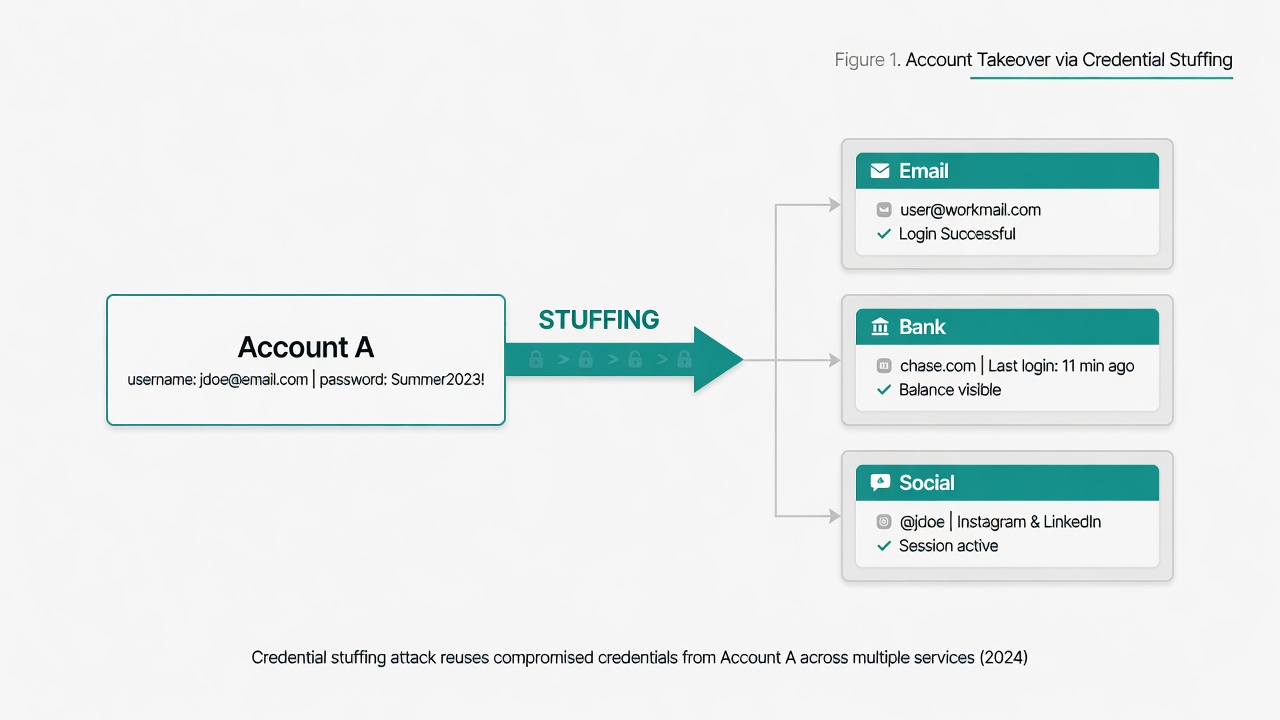
Reuse turns a single leak into a multi-account incident.
"But I use a hard password"
Hard is not the same as unique.
A 16-character password that is shared across ten services is still one key for ten locks. When any lock's manufacturer screws up storage, every other lock is compromised with you.
What defenders recommend (and what operators practice):
- Unique password per site — so one dump does not cascade
- High entropy — random, long, not based on names or seasons
- Stored safely — not in a screenshots folder or a shared notes doc
- Prefer local or user-controlled storage when you do not want a cloud vault vendor in the middle
That last point is where people get stuck. Unique random passwords are impossible to memorize at scale. Without a tool, humans reuse.
Why cloud "password managers" make some people nervous
Many commercial managers are excellent. They also mean:
- Your vault ciphertext (and recovery path) lives in someone else's infrastructure
- Account recovery, device sync, and support processes become part of your threat model
- You are trusting a vendor's uptime, breach history, and jurisdiction
That is a valid trade for a lot of users. It is not the only trade.
Some people — operators, journalists, anyone tired of "another SaaS knows my logins" — want:
- Generate strong passwords in the browser
- Save them on this device
- Fill them when returning to a site
- No account. No sync. No upload.
That is the design goal of REHNOVA Passfill.
What Passfill does (and does not do)
Passfill is a free browser extension (Chrome, Edge, Brave, Firefox) that:
| Capability | Behavior |
|---|---|
| Generate | CSPRNG passwords on password fields (⚡ gen) |
| Save | You confirm — username + password for that host |
| Fill | On return, a bar offers to refill — you click |
| AES lock | Optional master passphrase; AES-256-GCM at rest |
| Export | Your backup file; encrypted if lock is on |
What it does not do:
- It does not send your vault to REHNOVA servers
- It does not sync to a cloud database we control
- It does not require an account or email to "activate"
- It does not phone home analytics about your logins
Credentials live in browser extension storage on your machine. With master lock enabled, the disk copy is sealed ciphertext until you unlock for the session.
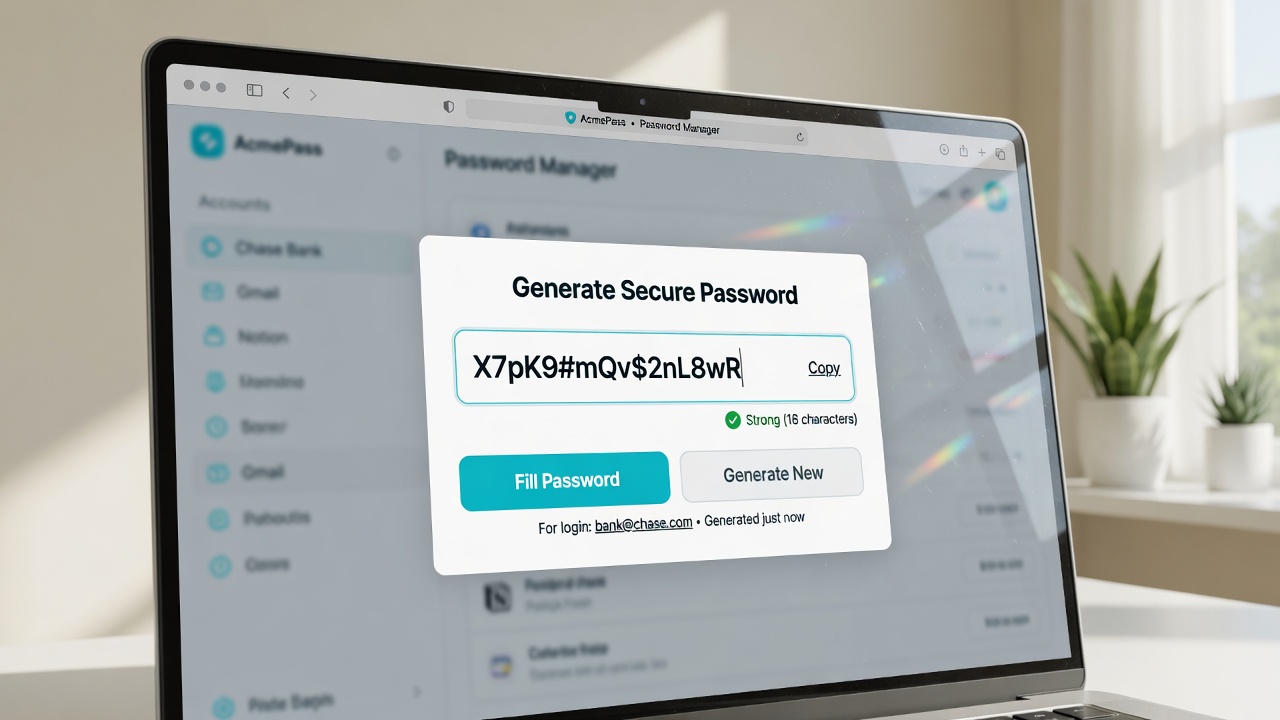
Local tooling: generate, save, fill — without shipping secrets to a cloud product.
Local storage is not "magic immunity"
Be honest about the model:
- If malware has full control of your OS user, almost any local vault can be attacked.
- If someone has your unlocked browser profile, they may read extension storage.
- You still need device hygiene, OS updates, and care with exports.
What local storage does remove:
- REHNOVA (or any third party) as a silent copy of your password list
- Mandatory cloud sync of every new login
- The "we got breached, change every password we synced" vendor scenario for this tool
Your secrets stay yours, on your box, until you choose to export them.
How this stops the reuse cascade
- On signup or password change, generate a long random password in Passfill.
- Save it for that host only when you choose.
- Next visit, fill — no need to reuse
Summer2020!from the old forum dump. - Turn on AES master lock so the on-disk vault is not plain text.
- Export a backup you control if you reinstall the browser.
If Site A burns tomorrow, Site B still has a different secret. The stuffing pipeline fails for you.
Get it
Free install guide and download:
Install is download → unzip → load unpacked (or Firefox temporary add-on). That is not a half-finished product — browsers blocked one-click install from independent sites; the free path is load-from-disk. The Passfill page explains why each step exists so you are not guessing.
Privacy contact: rehnova@proton.me
Operator takeaway
The loud breaches make headlines. The quiet ones are your password, again, on a service that was never specially targeted for you — only for the dump that already contained you.
Unique passwords break the chain.
Passfill exists so unique is default, and so the list never has to leave your machine to stay useful.